
A signed HVAC service ticket on every job
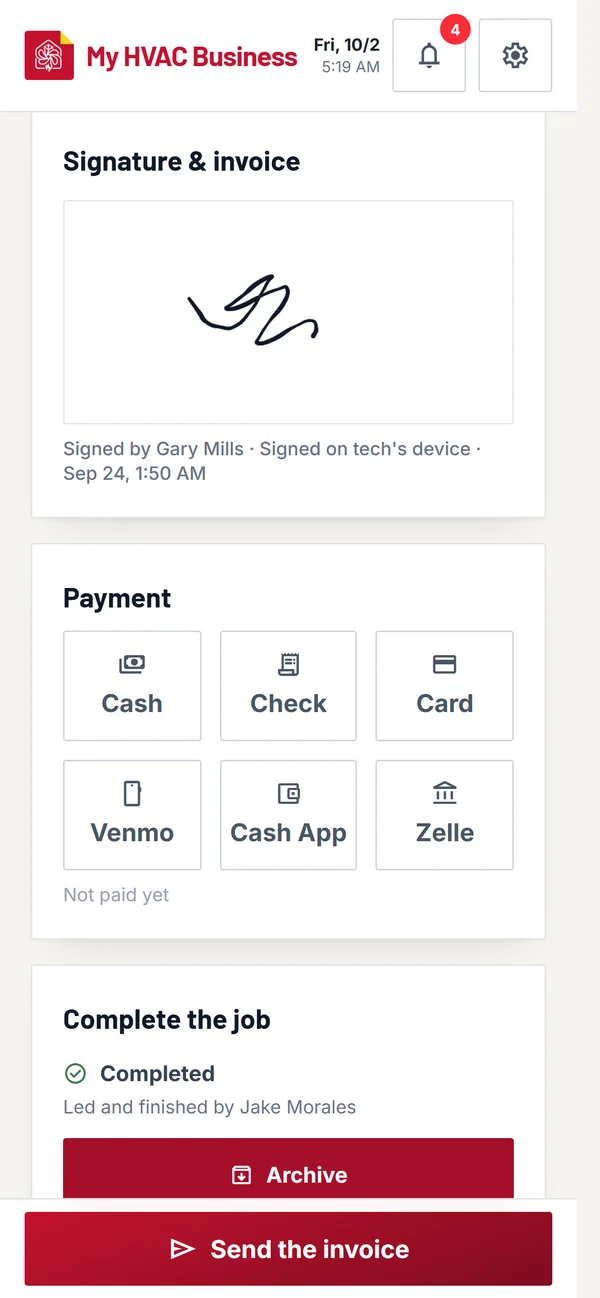
Get HVAC Pad is an HVAC service ticket app: the customer approves the price and signs on your phone, or on their own phone from a link you send, before the work starts. Who signed and when is saved on the job and printed on the invoice.
SIGNATURES · SPEC SHEETPAPER NEEDED: NONE
Approve the priceThey sign before the work starts. The price and due date lock.
On their own phoneText them a signing link. Nothing to download.
Change ordersAny price change needs their signature first.
Sign when it's doneA second signature says the work is finished.
Your termsShown where they sign, printed on the invoice.
Time-stampedWho signed, on which phone, and when.
How a signed service ticket works
1
Price the job
Add items from your price list.
2
They approve and sign
On your phone, or from the link you text them.
3
It's on the invoice
Name, signature and time on the PDF and the link.
Questions techs ask
Does my customer need to download anything?
No. They sign on your phone, or open the link in their phone's browser.
What if the price changes mid-job?
Tap "Request a change". The customer signs the new price before it counts.
Can they sign in Spanish?
Yes. Set the customer to Spanish and their signing page is in Spanish.